It’s 5:40 on a Tuesday. Dinner isn’t started, the youngest is melting down, and you said “ten more minutes” about twenty minutes ago. The tablet is still on.
Every parent knows this scene. The fight over screens is one of the most draining parts of the day. School kid, homeschooler, the toddler who has already figured out how to unlock your phone — it looks the same in every kitchen.
Here is what actually helps. Not a total ban, not a guilt trip. Just a few small changes that make the whole thing calmer: limits your kid can live with, a way to end screen time without the meltdown, and enough easy alternatives that reaching for the tablet stops being the automatic move.
Why the screen fight is so hard
Screens are built to be hard to leave. The autoplay, the next level, the little reward every few seconds — none of that is an accident. Grown adults lose an hour to a phone without meaning to, so a seven-year-old doesn’t stand much of a chance on willpower alone.
Worth remembering when you’re frustrated. Your kid isn’t being defiant. They’re up against something engineered by teams of people to keep them watching, and “just turn it off” asks them to do the thing you find hard yourself.
How much screen time is actually okay
The honest answer depends more on what’s on the screen, and what it’s replacing, than on a magic number of minutes. A kid building something in a creative game is doing something different from a kid watching six-second clips on a loop, even when the clock reads the same.
Still, most of us want a starting point. Here’s a reasonable one.
- Ages 2–5: around an hour a day of the good stuff, watched together when you can.
- Ages 6–10: one to two hours on a normal day, more room on a rainy Saturday.
- Ages 11+: less about a hard cap, more about protecting sleep, homework, movement, and meals.
Use those as a floor to build from, not a rule to police to the minute. The goal isn’t a perfect number. It’s a rhythm your family can actually keep on a Wednesday when everyone is tired.
The real problem usually isn’t the screen — it’s the turn-off
Notice when the fights actually happen. Rarely during the show. It’s the moment you say it’s over. That hard stop, yanked out of something absorbing with no warning, is what sets off the meltdown.
So change the ending, not just the amount.
Give a real heads-up first: “when this episode ends, we’re done.” Then a countdown they can see helps more than you’d expect, because “five minutes” means nothing to a six-year-old, but a timer draining to zero is concrete. A cheap visual timer on the counter does the job — the kid watches the color disappear, and the end stops being something you sprang on them.
And have the next thing ready. A screen that turns off into nothing is a screen worth fighting for. A screen that turns off into a snack and a box of activity cards already on the table is a lot easier to close.
From the RCK Shop
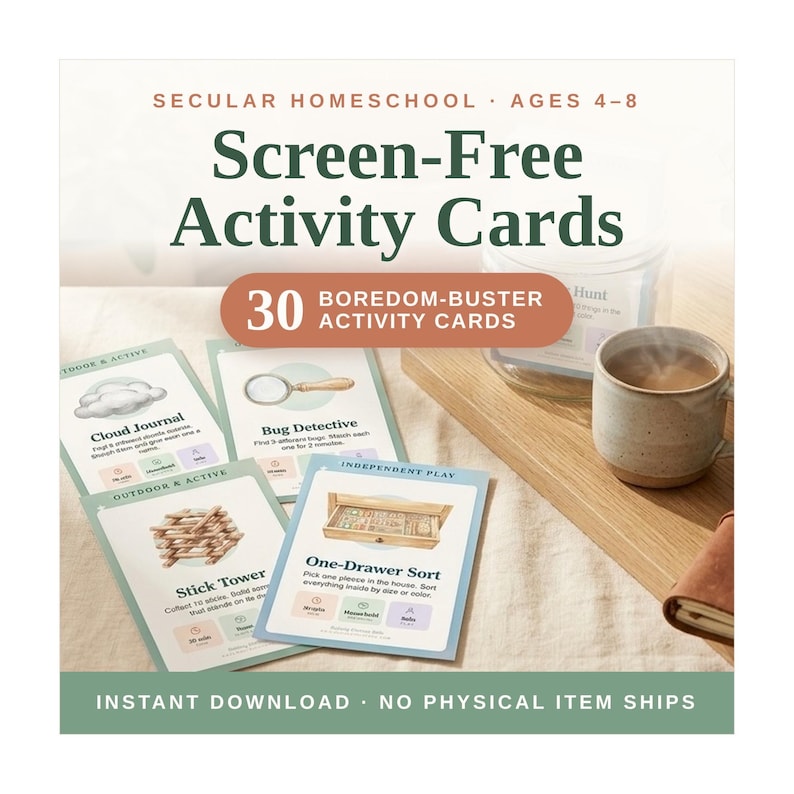
Screen-Free Activity Cards · $6.99
30 low-prep boredom-busters your kid can grab the second the tablet goes off — no setup, no “I’m bored,” no you running the show. Print once, keep them by the couch.
Shop the cards on Etsy →Make screen-free the easy default
Kids reach for screens partly because it’s the path of least resistance. It’s right there, it’s always interesting, and the alternative usually needs a parent to stop what they’re doing and set something up. Flip that, and screens stop being the automatic answer to “I’m bored.”
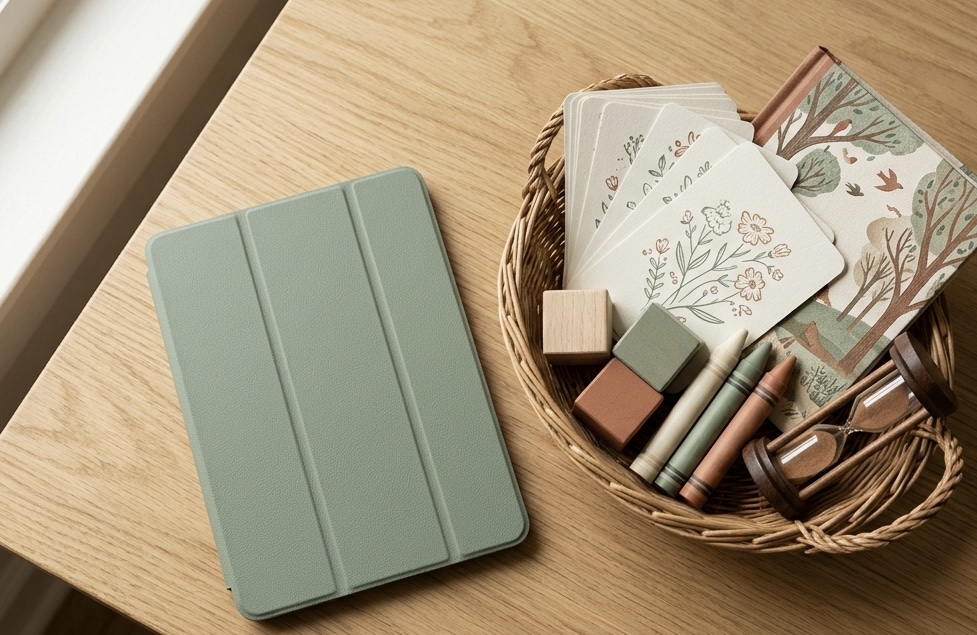
The trick is making the non-screen option just as grab-able. A basket of ready activities by the couch. A bin of art supplies they can get into without asking. A stack of cards with one idea each, so nobody has to think of anything.
That stack of one-idea cards is the whole point — the deciding is already done for them. If you’d rather build your own, this list of 15 screen-free indoor activities is a good place to start, and most of them use stuff you already own.
If you print the cards (or any of your own), it’s worth laminating them — sticky hands and juice cups are hard on paper. I use a small laminator with 5-mil pouches, and the cards survive a whole summer that way.
A simple screen plan that fits on one page
You don’t need an app to manage this. You need a few clear defaults everyone knows, so screen time isn’t renegotiated from scratch every single afternoon.
Pick a handful that fit your house:
- Screens off until after breakfast and getting dressed.
- No screens at the table.
- A set window — say, after quiet time or after school — instead of all day on demand.
- Screens off an hour before bed, since they wreck the wind-down.
Write them somewhere everyone can see. When the rule lives on the wall instead of in your head, you stop being the bad guy every time — the wall is the bad guy, and you just point at it. If you’re already building an after-school routine or a weekly family rhythm, fold the screen defaults right into it instead of running a separate system.
Want the weekly planner I use to map screen windows, meals, and downtime onto one page? Grab it free below.
For the days it all falls apart
Some days the timer doesn’t work, the cards get ignored, and everyone ends up crying anyway. That happens. A sick day, a long week, a kid who is just done — the plan bends, and that’s fine.
When the screen goes off and the meltdown comes anyway, you’re not managing screen time anymore. You’re helping a flooded kid calm back down, which is a different job. These calm-down strategies are what actually help in that moment, and none of them involve winning the argument.
Start with the ending
You don’t have to cut screens out to make the days calmer. You just have to make them one option among several instead of the only one that’s ever ready. Set a limit you can keep, change how screen time ends, and stock a few easy alternatives — those three cover most of the daily fight.
Start with the ending. Next time a show wraps up, have a snack and something to do sitting right there before you say the word “off.” You’ll feel the difference by the weekend.